



Introduction
Computers have become an essential part of everyday life, powering everything from personal tasks to global industries. Whether you are browsing the internet, editing documents, or running advanced simulations, your computer relies on a wide range of components working seamlessly together. Understanding the components of a computer is crucial not only for students and IT professionals but also for everyday users who want to optimize their devices or troubleshoot problems.
This article explores the essential components of a computer, their functions, and how they integrate to form the backbone of modern computing.
Major Components of a Computer
A computer can be divided into two main categories: hardware (the physical parts you can touch) and software (the programs and instructions that control the hardware). Let’s explore them in detail.
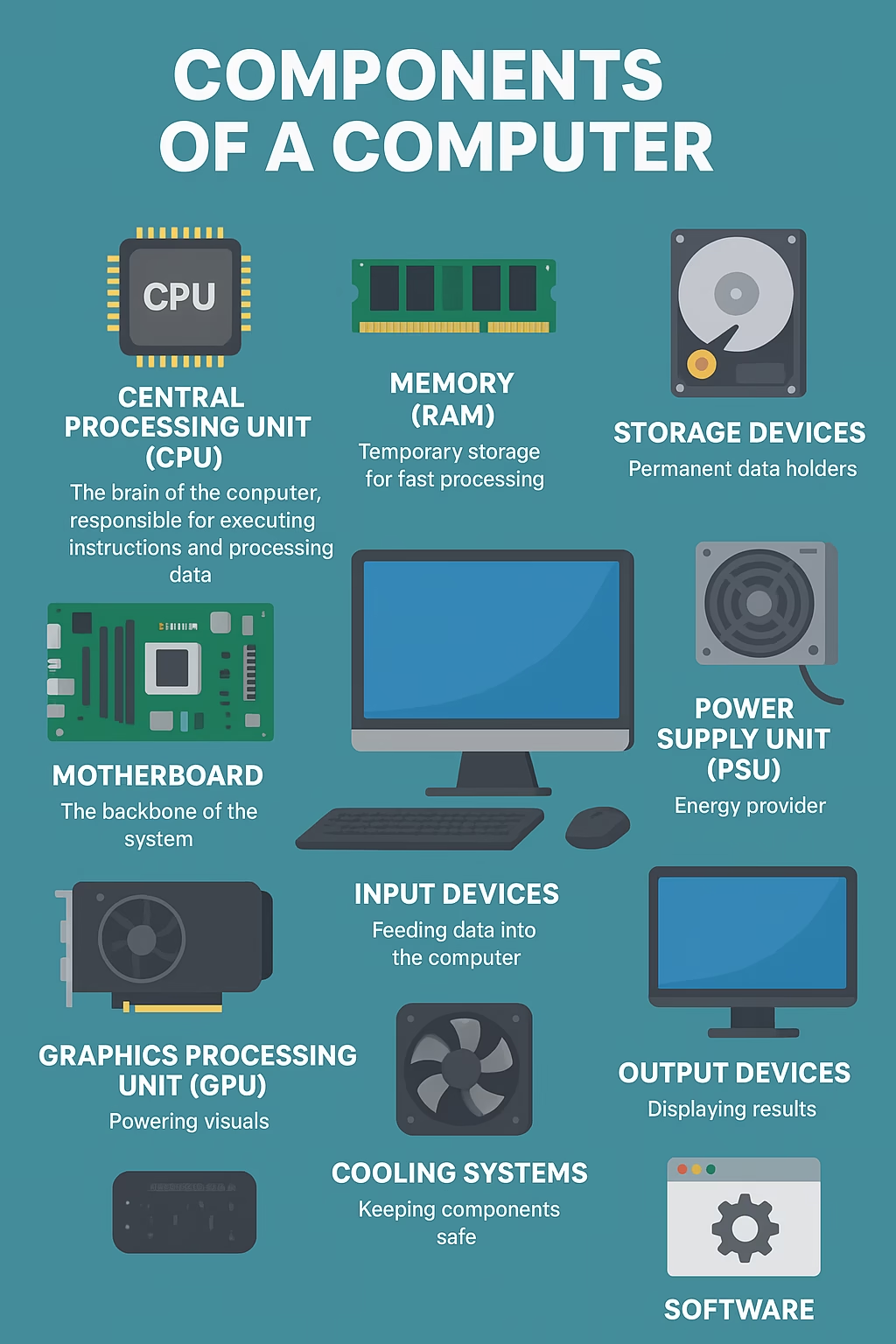
1. Components of a Computer: Central Processing Unit (CPU) – The Brain of the Computer
The CPU, often called the brain of the computer, is responsible for executing instructions and processing data. It consists of two main units:
- Arithmetic Logic Unit (ALU): Handles mathematical calculations and logical operations.
- Control Unit (CU): Directs data flow between different components.
Modern CPUs contain multiple cores, enabling them to perform multiple tasks simultaneously. The faster and more efficient the CPU, the better the overall performance of the system.
2. Memory (RAM) – Temporary Storage for Fast Processing
Random Access Memory (RAM) is the temporary memory where data and instructions are stored while the CPU is actively using them. Unlike storage drives, RAM is volatile, meaning it loses data when the computer is turned off.
The amount of RAM determines how many applications a system can run simultaneously without slowing down. For instance:
- 4 GB RAM → Basic tasks (web browsing, documents).
- 8–16 GB RAM → Gaming, multitasking, professional work.
- 32 GB or more → Advanced computing, video editing, programming.
3. Components of a Computer: Storage Devices – Permanent Data Holders
Storage devices are responsible for holding data even when the computer is powered off. The two primary types are:
- Hard Disk Drives (HDDs): Provide large storage at lower costs but slower performance.
- Solid-State Drives (SSDs): Faster, more reliable, and energy-efficient, but usually more expensive.
Additionally, external storage devices and cloud storage are commonly used for backup and portability.
4. Motherboard – The Backbone of the System
The motherboard is the main circuit board that connects all the components of the computer, including the CPU, RAM, storage devices, and peripheral devices. It ensures communication between different parts through buses and chipsets.
Key features of a motherboard include:
- Slots for RAM and expansion cards.
- Connectors for input/output devices.
- BIOS/UEFI firmware for startup instructions.
5. Components of a Computer: Power Supply Unit (PSU) – Energy Provider
The Power Supply Unit converts electricity from the wall outlet into usable power for computer components. Without a stable and efficient PSU, the system cannot operate properly.
Modern PSUs often come with efficiency ratings such as 80 Plus Bronze, Silver, Gold, or Platinum, indicating energy-saving capabilities.
6. Input Devices – Feeding Data into the Computer
Input devices allow users to communicate with the computer. Some common examples include:
- Keyboard: For typing commands and data.
- Mouse: For navigation and selection.
- Scanners, Microphones, Cameras: For specialized input tasks.
Touchscreens are also widely used as both input and output devices in smartphones, tablets, and some laptops.
7. Output Devices – Displaying Results
Output devices present the processed data to users. Key examples include:
- Monitors: Display text, graphics, and videos.
- Printers: Produce physical copies of documents and images.
- Speakers and Headphones: Provide audio output.
The quality of output devices greatly affects user experience, especially in design, gaming, and multimedia applications.
8. Components of a Computer: Graphics Processing Unit (GPU) – Powering Visuals
While the CPU handles general tasks, the GPU specializes in rendering graphics and visual output. It is crucial for gaming, 3D modeling, video editing, and artificial intelligence tasks.
There are two types of GPUs:
- Integrated GPU: Built into the CPU, suitable for basic tasks.
- Dedicated GPU: A separate card with high performance for advanced graphics.
9. Cooling Systems – Keeping Components Safe
Computers generate heat while running, and cooling systems prevent overheating. The most common solutions include:
- Air Cooling: Using fans to circulate air.
- Liquid Cooling: More advanced and efficient, often used in gaming and high-performance PCs.
Maintaining proper cooling ensures the longevity and stability of computer components.
10. Components of a Computer: Software – The Intangible Component
While hardware is the physical part, software is the digital brain that tells hardware what to do. There are two main types:
- System Software: Includes operating systems (Windows, macOS, Linux) that manage hardware resources.
- Application Software: Programs designed for specific tasks, such as word processing, web browsing, or graphic design.
Without software, hardware is just an inactive machine.

How Components Work Together
A computer functions effectively because its components interact seamlessly. For example, when you open a web browser:
- The CPU processes the command.
- RAM temporarily stores data.
- The GPU renders visuals on the screen.
- Input devices (keyboard/mouse) allow navigation.
- Output devices display the results.
This coordination creates the smooth digital experiences we rely on daily.
Importance of Understanding Computer Components
Knowing about computer components offers several advantages:
- Better purchasing decisions: Helps you choose the right laptop, desktop, or server.
- Upgrading knowledge: Understand which part to upgrade for performance improvement.
- Troubleshooting skills: Identify hardware or software issues effectively.
- Educational value: Essential knowledge for IT, engineering, and digital literacy.
Conclusion
The components of a computer form a complex yet harmonious system that powers our digital world. From the CPU and RAM to input devices and software, each part plays a critical role in ensuring smooth functionality.
By understanding these building blocks, users can make informed decisions, maintain their systems better, and appreciate the intricate design of modern computers.