

Introduction of Functions of a Computer
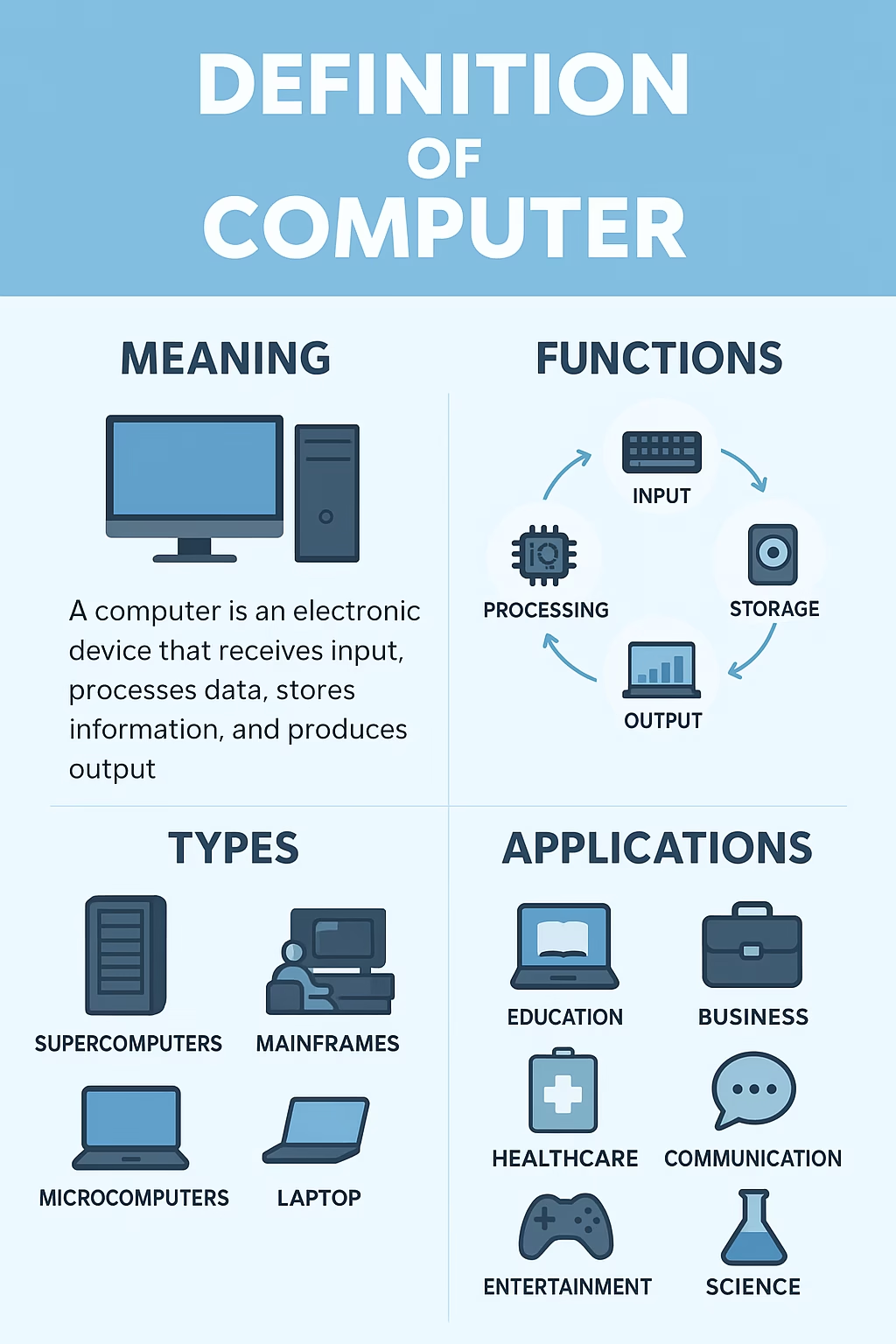
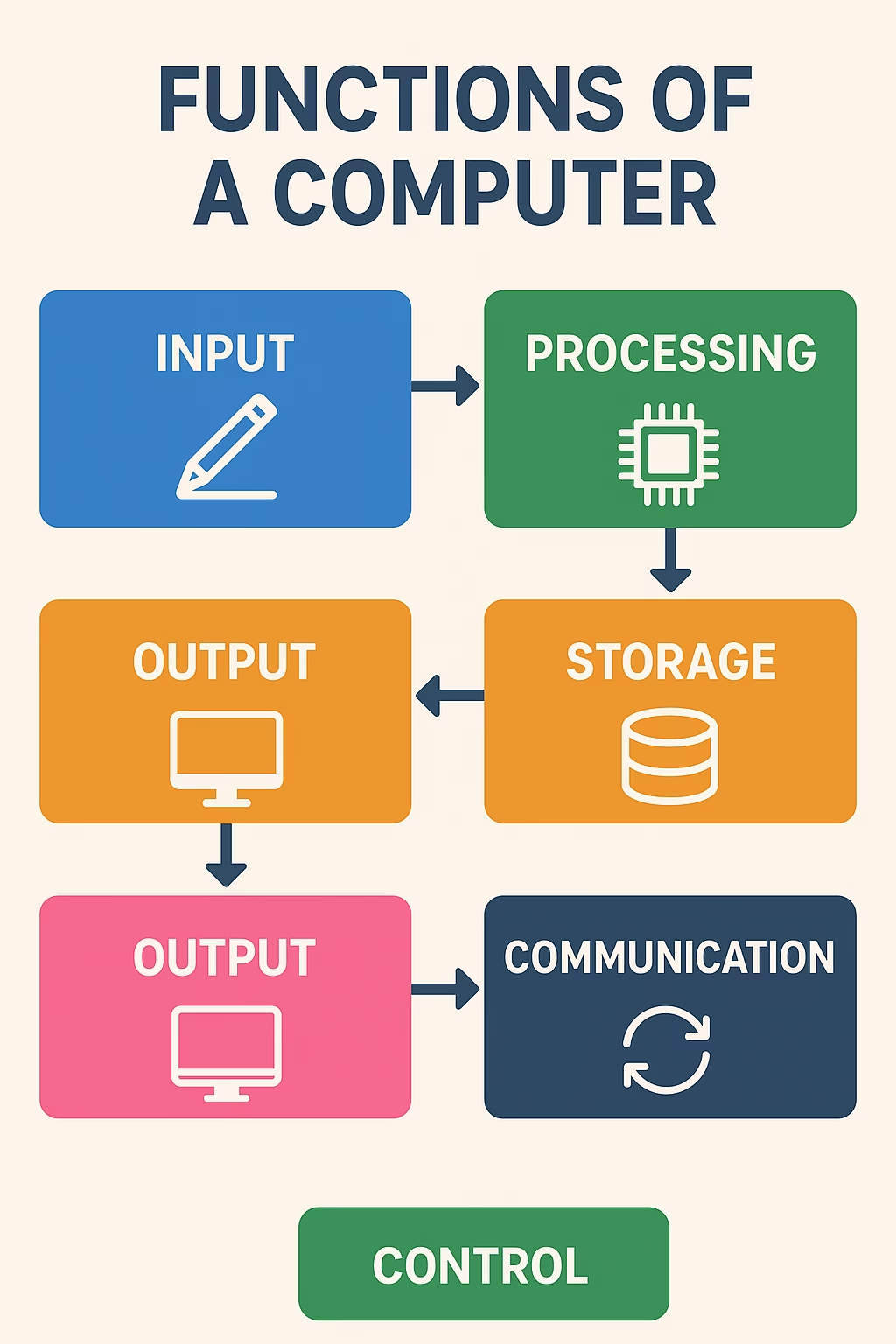
Computers have become an inseparable part of modern life. From personal gadgets like laptops and smartphones to large-scale industrial servers, computers are everywhere. But what exactly are the functions of a computer? At its core, a computer is a machine designed to perform specific operations based on instructions. It can accept input, process information, store data, and produce output. These four basic functions are the foundation of every computer system, regardless of its size or complexity.
This article explores the primary functions of a computer, provides real-world examples, and highlights why understanding these functions is crucial in today’s digital era.
1. Functions of a Computer in Input Function: Feeding Data into the Computer
The first essential function of a computer is input. Input refers to the process of entering raw data and instructions into the system. Input devices translate human actions into signals that the computer can understand.
Examples of Input Devices:
- Keyboard: Used for typing text and commands.
- Mouse: Helps in selecting, pointing, and navigating.
- Microphone: Captures audio for communication or recording.
- Scanner: Converts physical documents into digital format.
- Touchscreen: Allows users to interact directly with the display.
Without the input function, computers would not have any data to work with. Every task—whether writing an email, searching on Google, or playing a game—starts with input.
2. Processing Function: The Brain of the Computer
Once data is entered, the computer’s central processing unit (CPU) takes over. The processing function is where raw input is converted into meaningful information. This process includes three sub-stages:
- Fetching: Retrieving data or instructions from memory.
- Decoding: Translating instructions into signals the CPU can act on.
- Executing: Carrying out operations such as calculations or comparisons.
The speed and efficiency of the CPU determine how quickly a computer can complete tasks. For example, when you open a web browser, the CPU processes the instructions and loads the program into memory, making it ready for use.
3. Functions of a Computer in Storage Function: Keeping Data Safe
Storage is another vital function of a computer. Storage allows data and instructions to be preserved, either temporarily or permanently. Computers use two primary types of memory:
- Primary Storage (Volatile): Includes RAM (Random Access Memory), which temporarily stores data while tasks are being performed. Once the computer is turned off, data in RAM is lost.
- Secondary Storage (Non-Volatile): Includes hard drives (HDDs), solid-state drives (SSDs), and external storage devices. This type of storage retains data permanently, even when the computer is powered down.
Storage is crucial because it ensures that data, applications, and operating systems are readily available for future use. For instance, when you save a document in Microsoft Word, it goes into secondary storage so you can retrieve it later.
4. Output Function: Delivering the Results
After processing data, a computer must present the results to the user. This is where the output function comes in. Output devices transform digital information into a form humans can understand, such as text, sound, or visuals.
Examples of Output Devices:
- Monitor: Displays visual output like images, videos, and applications.
- Printer: Produces hard copies of digital files.
- Speakers: Deliver audio output such as music or alerts.
- Projectors: Extend visual displays to larger audiences.
Every time you watch a movie, read an email, or hear a notification, you are interacting with the output function of a computer.
5. Communication Function: Sharing Data
Beyond the basic input, processing, storage, and output functions, modern computers also perform communication functions. Networking allows computers to share information across different systems using the internet or local connections.
- Wired Communication: Ethernet cables connect devices within a local network.
- Wireless Communication: Wi-Fi and Bluetooth enable wireless data transfer.
- Cloud Services: Allow global access to files, applications, and data.
For example, when you send an email, your computer communicates with a server, which then delivers the message to the recipient.
6. Functions of a Computer in Control Function: Managing Operations
The control unit (CU) within the CPU plays an important role in directing all activities. The control function ensures that input, processing, storage, and output are coordinated properly. Without it, the system would not run smoothly.
The control unit monitors resources, manages tasks, and ensures that instructions are executed in the correct sequence. It acts as the “manager” of the computer system.

Real-World Applications of Computer Functions
Computers’ core functions are applied in countless fields:
- Education: Storing e-books, delivering online lectures, and interactive learning.
- Business: Data processing, accounting systems, and customer communication.
- Healthcare: Patient data management, diagnostic imaging, and telemedicine.
- Entertainment: Gaming, music streaming, and film editing.
- Engineering & Science: Running simulations, analyzing data, and controlling automation systems.
These applications highlight how the basic functions of computers transform into powerful tools across different industries.
Why Understanding Computer Functions Matters
Knowing the functions of a computer is not just for IT professionals. It benefits everyone:
- Students can better understand how their devices support learning.
- Professionals can maximize productivity by using computers effectively.
- Businesses can optimize operations by leveraging storage and communication functions.
- Consumers can troubleshoot issues by understanding how data flows through their devices.
Ultimately, the more you understand how computers function, the more efficiently you can use them in your daily life.
Conclusion
The functions of a computer—input, processing, storage, output, communication, and control—are the backbone of modern digital systems. Every task, from typing a message to running complex software, depends on these interconnected processes.
By mastering the understanding of these functions, individuals and organizations can harness the full potential of computer technology. As technology continues to evolve, these core functions remain fundamental, ensuring that computers remain essential tools in every aspect of modern society.