
In the modern digital age, computers have become an essential part of daily life. From the smallest handheld devices to massive machines that process billions of calculations per second, computers exist in various forms to meet diverse needs. Understanding the types of computers is crucial for students, professionals, and businesses, as it helps in choosing the right device for specific applications.
This article provides a comprehensive overview of the classifications of computers, their unique features, and their practical uses in different fields.
1. What is a Computer?
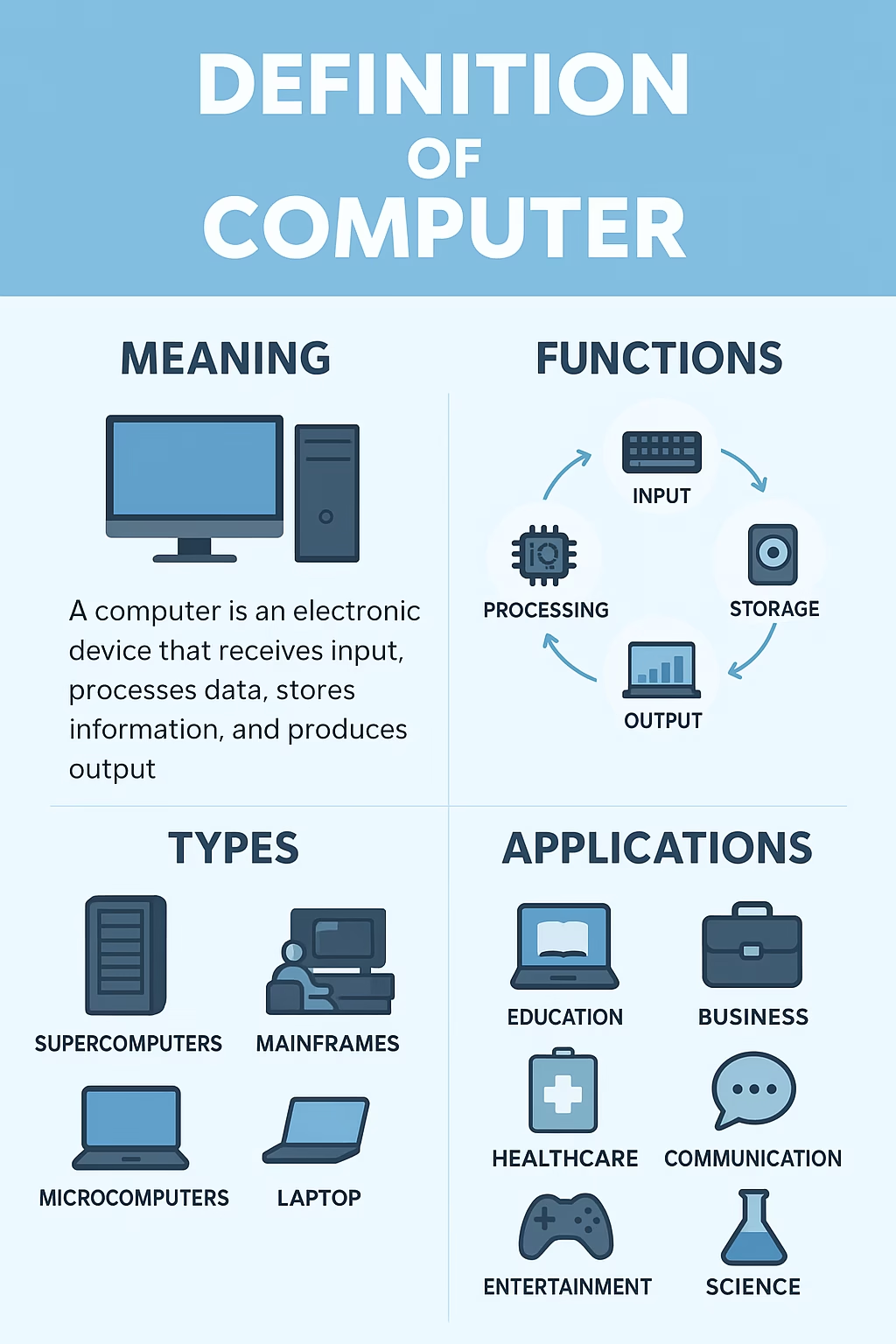
A computer is an electronic device that processes, stores, and retrieves data based on instructions provided by software. Its primary functions include input, processing, storage, and output. Computers vary in size, capacity, speed, and purpose. While some are designed for personal use, others are built for large-scale industrial or scientific applications.
2. Major Types of Computers
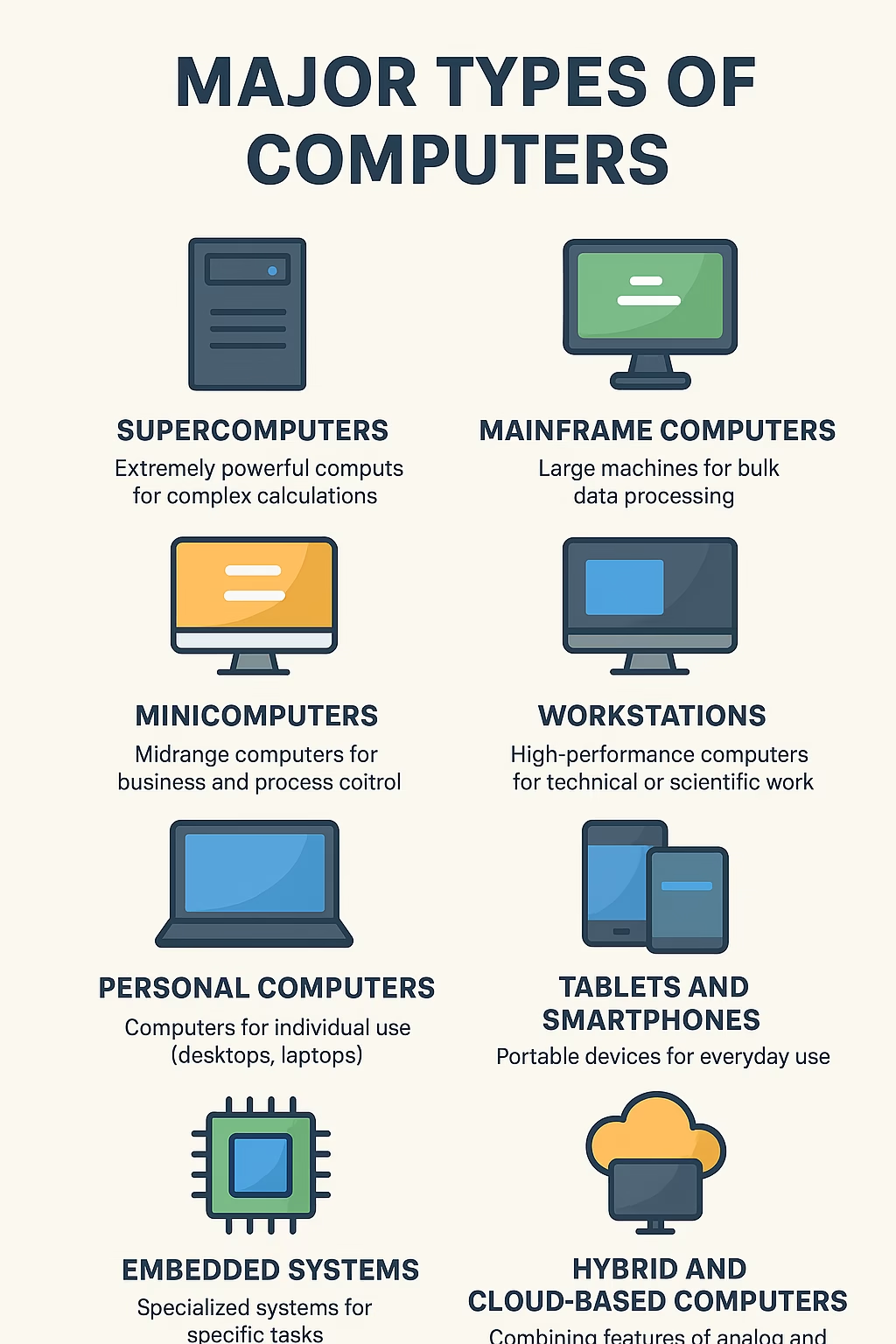
Computers can be categorized based on size, purpose, and processing power. The most common classifications include:
a) Types of Computers: Supercomputers
Supercomputers are the most powerful type of computers, capable of processing trillions of calculations per second. They are used for highly complex tasks such as:
- Weather forecasting
- Space research
- Molecular modeling
- Nuclear simulations
Features of Supercomputers:
- Extremely fast processing speed
- High storage capacity
- Very expensive and large in size
- Used by government agencies, research labs, and scientific institutions
b) Types of Computers: Mainframe Computers
Mainframe computers are large machines designed to handle vast amounts of data and support hundreds or even thousands of users simultaneously. They are primarily used by:
- Banks and financial institutions
- Airlines for ticketing systems
- Government departments
- Large corporations
Key Characteristics:
- High reliability and security
- Can run multiple operating systems simultaneously
- Centralized data processing
c) Types of Computers: Minicomputers (Midrange Computers)
Minicomputers, also known as midrange computers, are smaller than mainframes but larger than microcomputers. They are often used by small and medium-sized businesses for tasks like:
- Database management
- Business applications
- Manufacturing processes
Though less common today, minicomputers laid the foundation for modern servers.
d) Types of Computers: Microcomputers (Personal Computers)
Microcomputers, widely known as personal computers (PCs), are the most common type of computers used today. They include:
- Desktops: Stationary computers for home or office use
- Laptops: Portable computers with integrated screens and keyboards
- Tablets: Touchscreen-based portable devices
- Smartphones: Pocket-sized computers with communication and multimedia capabilities
Applications of Microcomputers:
- Office work
- Education
- Gaming and entertainment
- Internet browsing
- Personal productivity
3. Other Types of Computers
a) Workstations
Workstations are high-performance computers designed for technical or scientific applications. They are often used by engineers, architects, and graphic designers who require powerful processing and graphics capabilities.
b) Embedded Computers
Embedded computers are integrated into other devices to perform dedicated tasks. Examples include:
- Microcontrollers in cars
- Smart home appliances
- Medical equipment
- Industrial machines
These computers are not visible to users but are essential for automation and efficiency.
c) Servers
Servers are specialized computers that provide resources, services, or data to other computers (clients) over a network. They are crucial in web hosting, cloud computing, and enterprise-level applications.

4. Comparison Between Different Types of Computers
| Type of Computer | Speed & Power | Users Supported | Examples of Use | Cost |
|---|---|---|---|---|
| Supercomputer | Extremely High | Thousands | Scientific research, weather forecasting | Very Expensive |
| Mainframe | Very High | Hundreds–Thousands | Banking, government, airlines | Expensive |
| Minicomputer | Moderate–High | Dozens | SMBs, industrial control | Moderate |
| Microcomputer | Moderate | Single User | Personal use, office, gaming | Affordable |
| Embedded Computer | Task-specific | Single Device | Cars, appliances, IoT | Low–Moderate |
5. Applications of Different Types of Computers
- Supercomputers: Climate modeling, AI research, space exploration
- Mainframes: Managing millions of transactions in banking and e-commerce
- Minicomputers: Business data management, industrial automation
- Microcomputers: Personal use, education, small business tasks
- Embedded Systems: Smart devices, industrial control systems
- Servers: Website hosting, cloud storage, enterprise applications
6. Future of Computer Technology
With advancements in artificial intelligence, machine learning, and quantum computing, the future of computers looks promising. Quantum computers, for example, aim to solve problems that are beyond the capabilities of current supercomputers. Additionally, the growing role of cloud computing and edge computing indicates that computing power will continue to evolve in both centralized and decentralized forms.
7. Conclusion
Computers come in many shapes and sizes, each designed to perform specific tasks. From the powerful supercomputers driving scientific innovation to the compact microcomputers in our pockets, these devices have transformed the way humans work, communicate, and live.
Understanding the types of computers not only helps us appreciate their importance but also guides us in selecting the right device for personal, business, or research needs.
As technology continues to advance, the boundaries between different types of computers are becoming more fluid, paving the way for a smarter, faster, and more interconnected world.